FullWallet
Voice entry
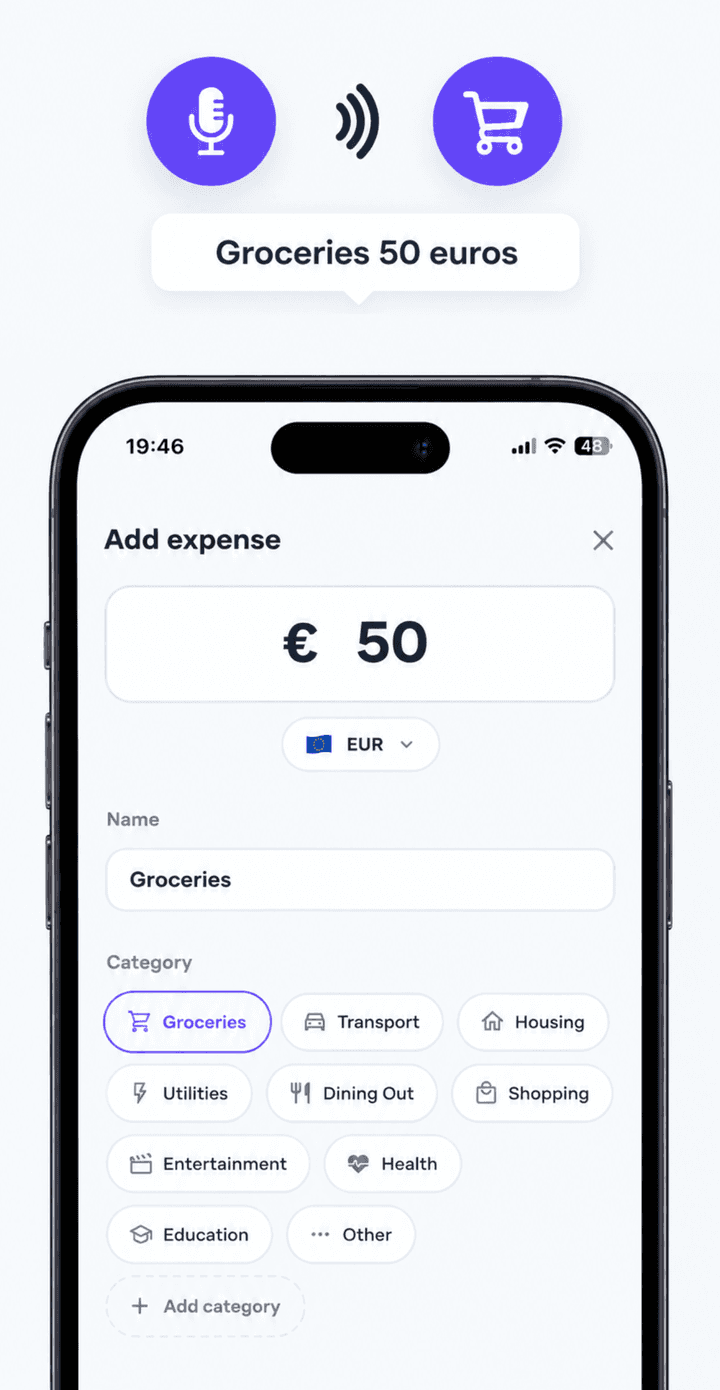
Speak a sentence and it is filed. It waits for you to finish instead of cutting you off mid-word.
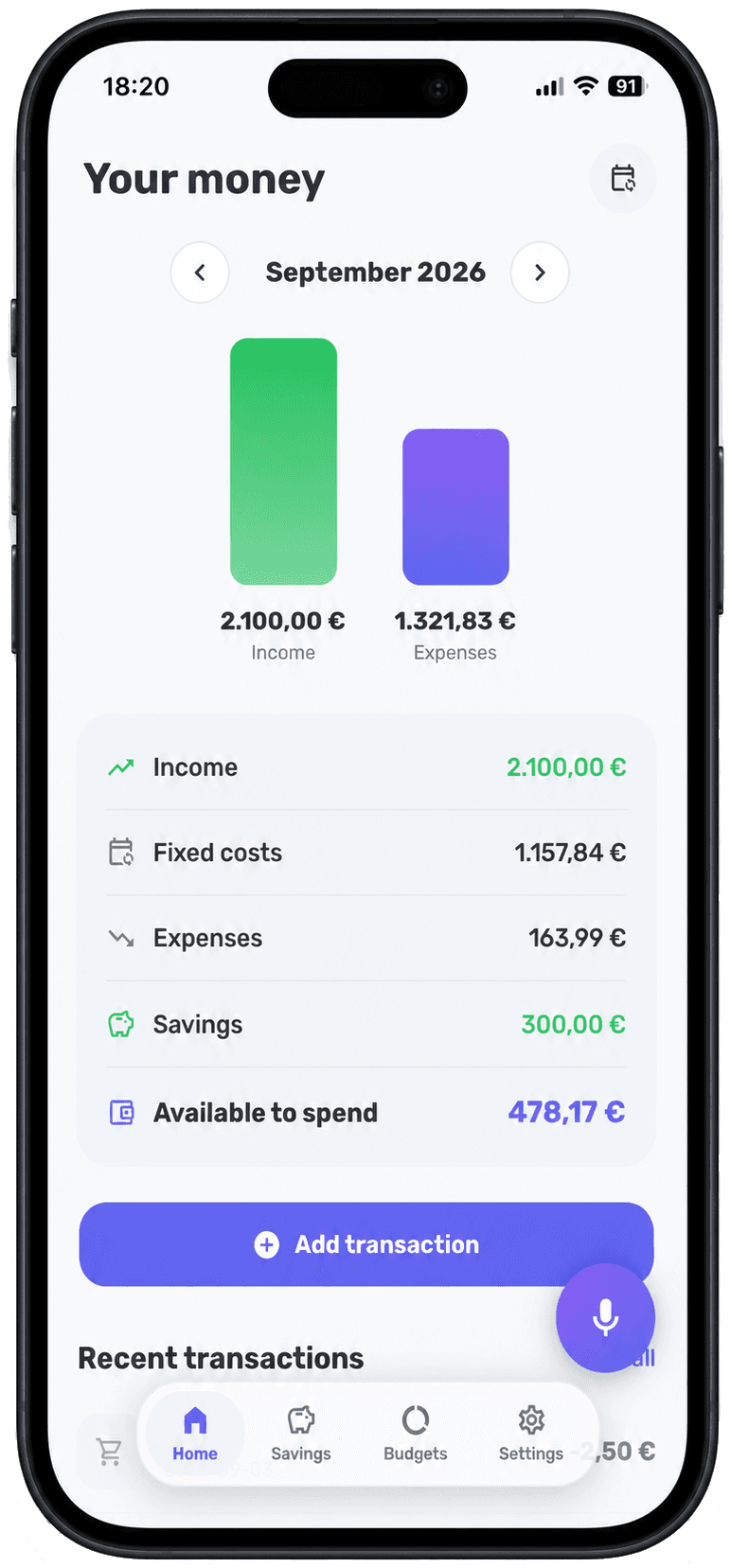
FullWallet starts with your income, subtracts what you have already committed, and tells you what is genuinely left. Add an expense by saying it out loud.
No account · No bank connection · Data stays on your phone
Most budgeting fails at the gap between spending money and recording it. This closes it.
One sentence out loud and the amount, currency, category and name are filled in. Faster than forgetting.
Rent, subscriptions, insurance. They count every month on their own, and never distort what you are still choosing.
One number, updated the moment you add anything — and a warning when a category is close to its limit.
Speak a sentence and it is filed. It waits for you to finish instead of cutting you off mid-word.
Entered once, counted every month. Never duplicated as expenses, never inflating your charts.
A monthly limit per category, and a nudge before you cross it rather than after.
By month, by year or across all time — with savings counted as money kept, not money spent.
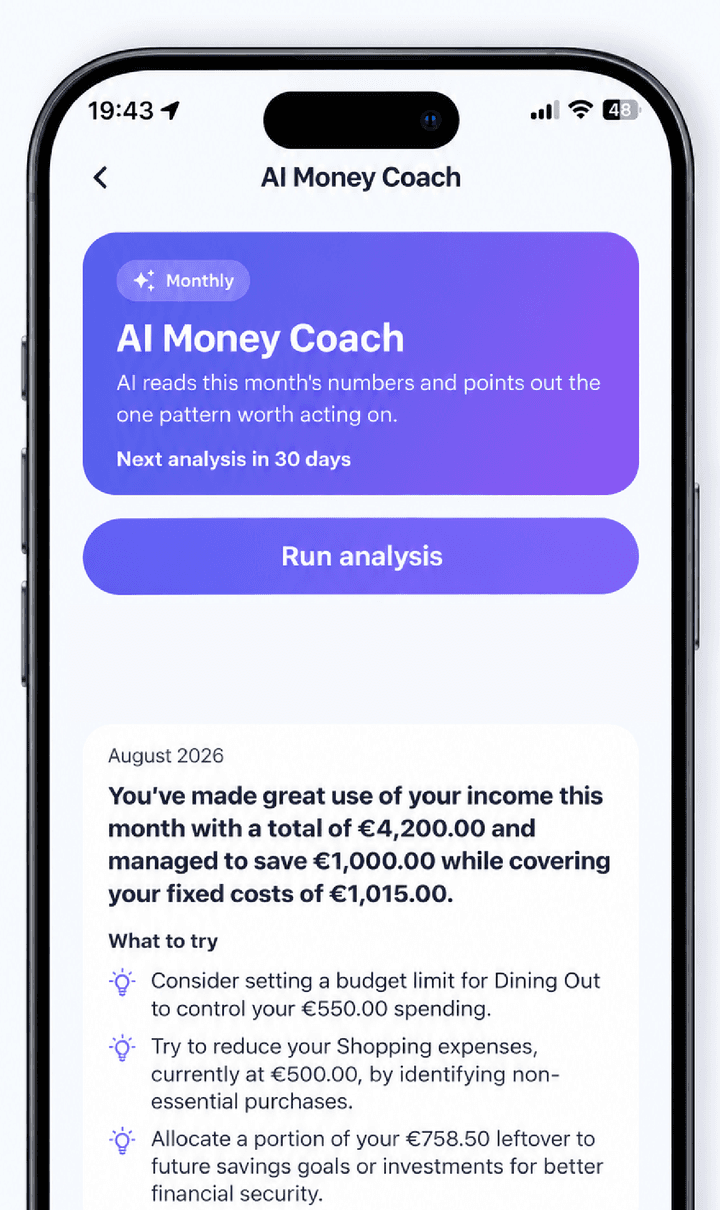
The one pattern worth acting on, and a few concrete things to try. Aggregates only, never your transactions.
No account, no bank connection. Your transactions stay on your phone.
Everything above is included. Premium is for the three things that take the work out of it entirely.
Tap your phone at the till and the expense is already in FullWallet — amount, shop and category — before you have put it back in your pocket.

"Spent 45 euros on groceries." One sentence out loud and the amount, the currency, the category and the name are filled in for you.
Once a month the AI Money Coach goes through your numbers, names the one pattern worth acting on, and gives you a few concrete things to try.
Whichever is nearest at the moment you spend.
Typing an expense takes long enough that you stop bothering. Saying it out loud takes three seconds. Here is why voice entry is the habit that survives.
5 min read
Rent is not a decision you make every month. Treating it like one is why most budgets feel useless. Here is how to separate the two — and what changes when you do.
6 min read
A clear starting framework for splitting income between needs, wants and savings — plus what to do when your rent alone eats more than half.
5 min read
No. There is no bank connection and no account to create. You add transactions yourself — by voice, from the widget, or in a couple of taps — and everything stays on your phone.
You say a sentence like "spent 45 euros on groceries". FullWallet reads the amount, the currency, the category and the name out of it, then shows you the result before saving so nothing is filed wrong.
A fixed cost is already decided — rent, insurance, a subscription. It recurs every month without being re-entered and is subtracted from what you have available, but it never appears in your spending charts, because it is not a decision you are still making.
Tracking, fixed costs, budgets, savings, the widget and CSV export and import are all included. Premium adds automatic Apple Pay tracking, voice entry and the monthly AI Money Coach.
Seventy-three currencies, with a currency per transaction and automatic conversion, and nine languages: English, Spanish, Portuguese, French, German, Italian, Russian, Japanese and Chinese.
It takes one sentence to log the first one.